Work offline and sync
How the station PC keeps working with no internet, what the sync words in the top bar mean, and what happens when two devices change the same record.
On this page
PetroKhata saves all your work on the station PC first. It sends the work to the server when the internet is there. This page explains how that works and what the sync words on screen mean. It is for everyone who uses the station PC.
You can work without internet
Every screen reads and writes the database on this PC. Nothing waits for the internet. You can open and close shifts, take dips, receive tankers, enter credit sales and print reports while the PC is offline.
When you save something:
- The app writes it to the database on this PC.
- The app puts it in a queue of work to send.
- When the internet is there, the app sends the queue to the server, in the order you saved it.
There is no limit on how long the PC can stay offline. The queue is kept on the PC, so it survives a power cut or a restart.
The app tries to sync about every 30 seconds, soon after each save, and as soon as it starts.
What the sync words mean
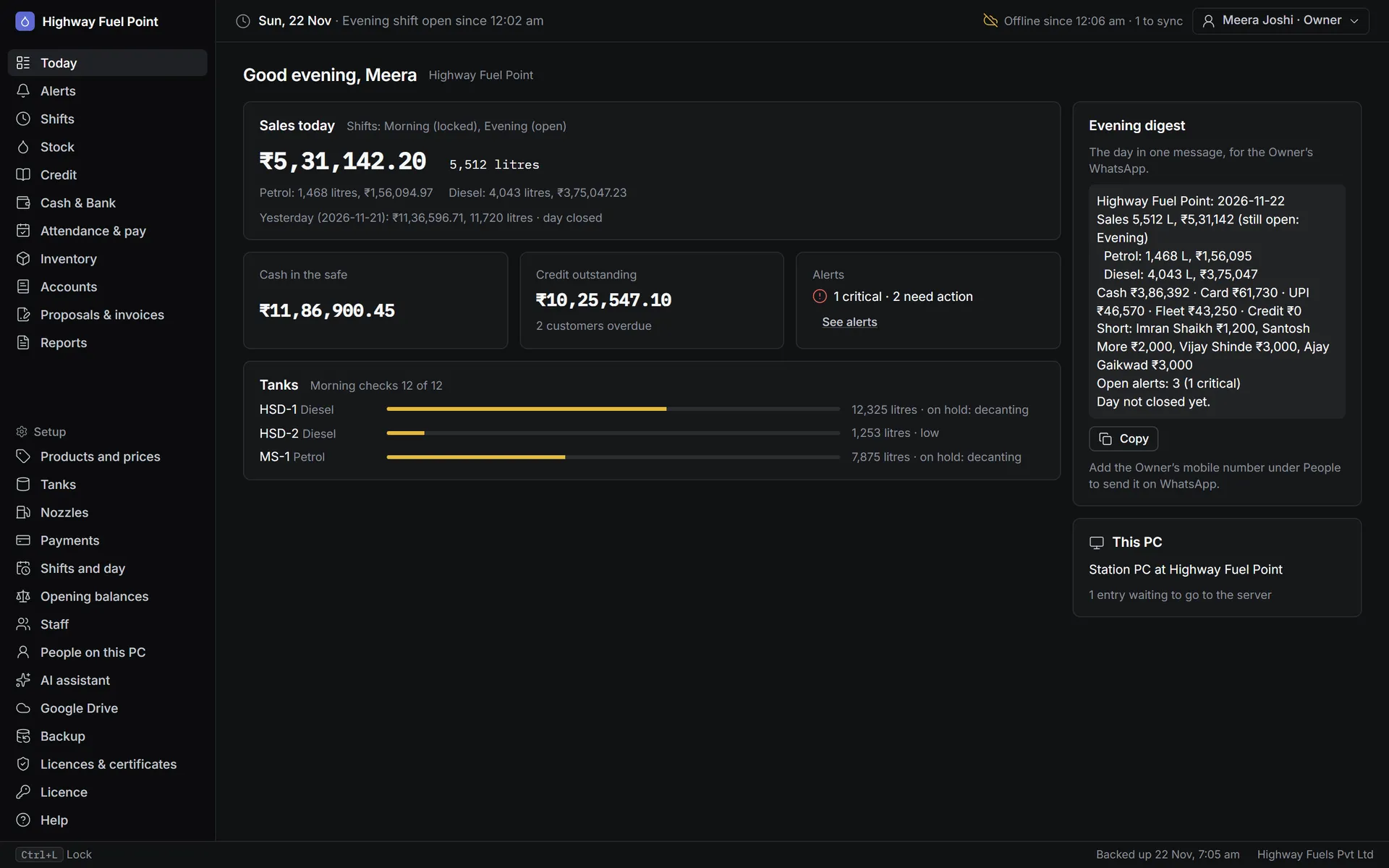
The sync status is at the top right of every screen, next to your name.
| You see | What it means |
|---|---|
| Syncing… | The PC is sending and receiving work now. |
| Synced just now, Synced 5 min ago or Synced at 7:40 pm | Everything saved here has reached the server. The time is the last sync. |
| Saved on this computer · 3 to sync | The PC is online. 3 entries are saved here and are waiting to be sent. |
| Offline since 12:06 am · 1 to sync | The PC cannot reach the server. 1 entry is saved here and waits. |
| Offline since 12:06 am · saved on this computer | The PC cannot reach the server. Everything is saved here, and nothing is waiting. |
| Not synced yet | This PC has not finished a sync since it started. |
| Online sync paused · working offline | PetroKhata support has paused online sync for your business. See Online sync paused. |
| This PC was removed. Sign in again. | The server no longer accepts this PC. See Troubleshooting. |
| 1 entry needs a look or 3 entries need a look | The server refused some work. See "When the server refuses a change" below. |
The This PC card on the Today screen also says how much is waiting: Everything is on the server, 1 entry waiting to go to the server, or the number of entries.
Each entry reaches the server once
Every entry carries its own id, made on the PC when you save it. If the internet drops in the middle of sending, the app sends the same entries again later. The server sees the id and does not record the entry a second time. A credit sale or a dip entered once is recorded once, even after many retries.
When two devices change the same thing
Several PCs and phones of your business can work offline at the same time. When they sync, the server puts all changes in one order. What happens next depends on the kind of record.
| Kind of record | Examples | What happens |
|---|---|---|
| Things that happened | Dip readings, credit sales, receipts, bank deposits | Both are kept. Each one has its own id, so they never clash. |
| Set-up details | Tanks, nozzles, customers, vehicles, staff | Each field is kept separately. If two people change different fields, both changes stay. If two people change the same field, the change the server receives last wins. |
| Work that gets locked | A shift and its readings, collections and cash count | While the shift is open, it works like set-up details. After the shift is locked, any change from another device is refused. |
While your own change waits to be sent, the screen keeps showing your change, even if other changes arrive from the server.
When the server refuses a change
The server refuses a change it cannot accept. The most common reason is a shift that someone locked on another device while your PC was offline. A locked shift can only change through a correction.
When this happens:
- The refused change is kept on the PC, not deleted. The top bar shows 1 entry needs a look (or the number of entries).
- Any record the change edited goes back to the version the server has. New records you typed stay on the PC.
What you do:
- Look at the record you changed. If your change is gone, the server refused it.
- If the record is a locked shift, make the change as a correction. See Correct a locked shift.
- If you cannot tell which entry was refused, tell the Owner and contact PetroKhata support.
Related pages
Something here does not match your screen, or a step is unclear? Tell us and we will fix the page.